Applicantee AI Settings
Where to configure
Open:
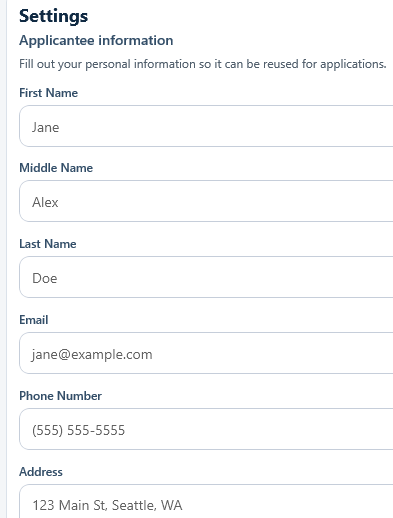
Settings > Applicantee Information
This data is the reusable applicant context for manual and AI-assisted application flows.
Fields captured
Identity and contact
First NameMiddle NameLast NameEmailPhone NumberAddress
Public profiles
LinkedIn URLGitHub URLPortfolio URL

Local document paths
Resume File PathProjects Portfolio File PathCertifications Folder Path

Optional profile attributes
EthnicityGenderAgeYears of ExperienceVeteran StatusDisability StatusEducation Level

Save behavior
Click Save Applicantee Information to persist data through:
PUT /settings/personal-information
Successful save shows:
Applicantee information saved.
Data quality tips for AI use
- Keep resume and portfolio file paths valid and local.
- Keep URLs current and reachable.
- Use realistic
Years of ExperienceandEducation Levelvalues. - Only fill optional demographic fields when you explicitly want them available for workflows.
Related MCP usage
When MCP tools request applicant context, this profile is returned alongside MCP settings.