Applying for Jobs
Postings workflow
On the Postings page, each card opens the original job URL and includes an action menu (...) with three core actions:
Save To ApplicationsIgnore Job PostingBlock Company

Save To Applications
Use Save To Applications when you have applied (or want to track that posting).
What happens:
- The posting is added to your Applications list.
- The posting is removed from the Postings list in the current view.
- It is labeled with an attribution string in Applications.
Ignore Job Posting
Use Ignore Job Posting to hide a single posting without blocking the entire company.
What happens:
- The posting is marked as ignored in backend state.
- It is removed from the visible Postings list.
- Other postings from the same company can still appear.
Block Company
Use Block Company to suppress all postings from that company.
What happens:
- The company is added to blocked companies.
- Its postings are hidden from Postings.
- It is excluded from future sync collection.
- You can unblock it in
Settings > Sync Settings.
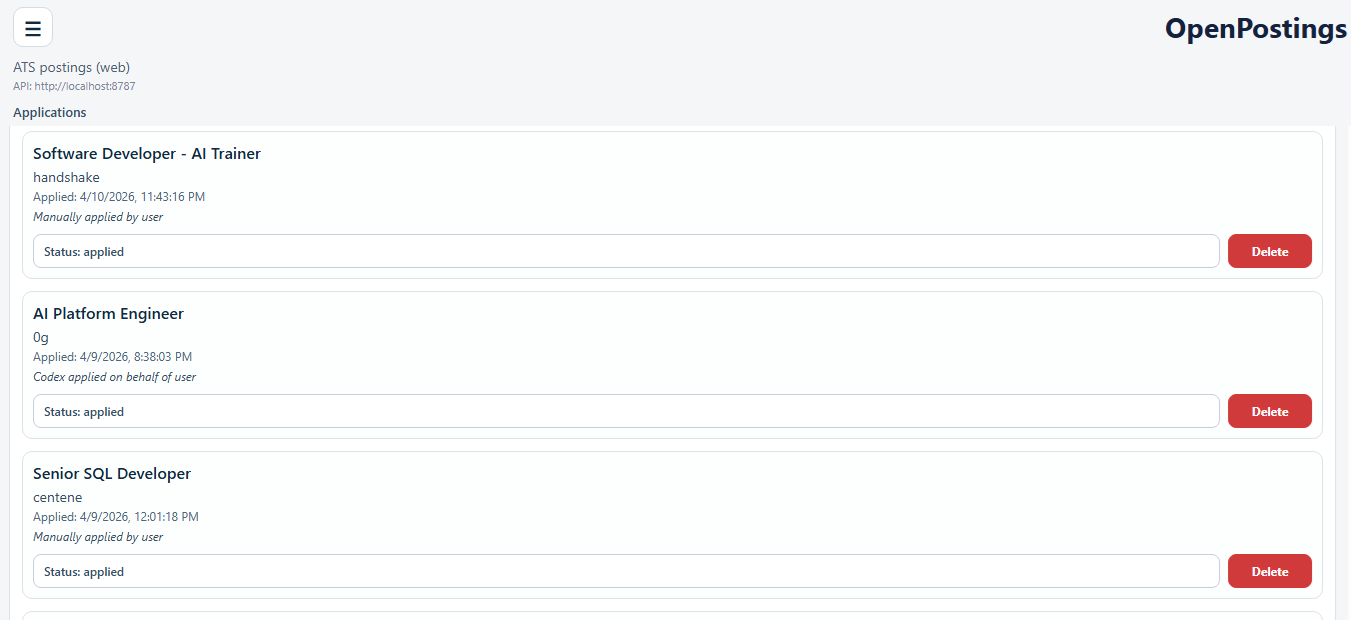
Manage tracked applications
Go to the Applications page to review and update statuses.
Available status values:
appliedinterview scheduledawaiting responseoffer receivedwithdrawndenied
You can also delete an entry from Applications.
Best-practice flow
- Sync postings.
- Filter and review.
- Save or ignore each posting.
- Block repeated low-value companies.
- Update application statuses as your pipeline changes.