Sync Settings
Where to configure
Open:
Settings > Sync Settings
Manual sync
From Postings, use Sync Postings for an immediate sync run.
Status text shows:
- Last sync time
- Company count
- Stored postings count
- Failed companies
- Excluded-by-24h count
- Live progress while syncing

Automatic sync controls
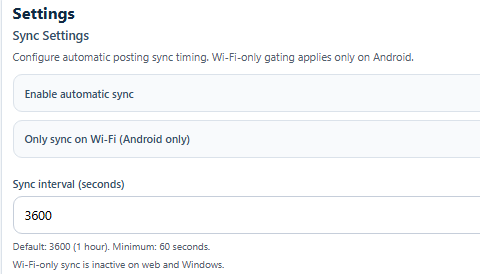
Enable automatic sync
- Toggle:
Enable automatic sync - Runs on a timer while the app is open
Wi-Fi only (Android)
- Toggle:
Only sync on Wi-Fi (Android only) - Ignored on Web and Windows
Sync interval
- Field:
Sync interval (seconds) - Default:
3600(1 hour) - Minimum:
60 - Maximum clamp:
86400(24 hours)
ATS request queue concurrency
This controls backend ATS request parallelism.
- Field:
ATS request queue concurrency - Allowed range:
1to20 - Higher values can increase throughput but can also increase
429responses - Runtime changes apply after backend service restart

Posting freshness window
This controls the alotment of job postings based on its date freshness.
- Allowed range: 24 to 168 hours

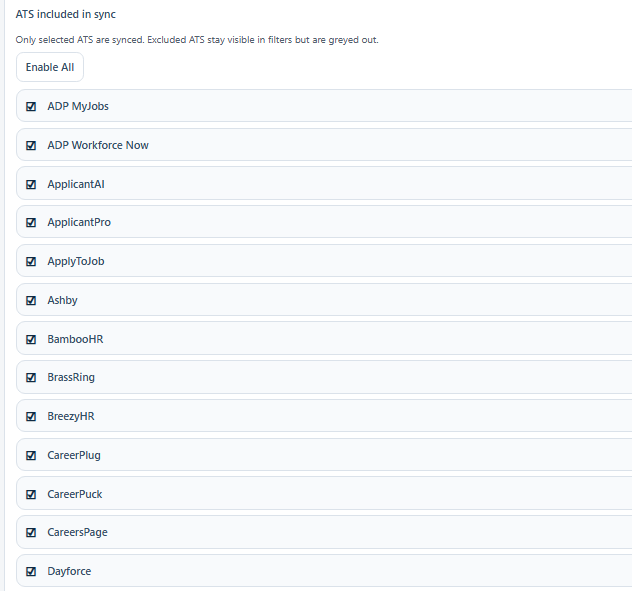
Sync ATS Filters
You can enable or disable specific ATSs for syncing.
Blocked companies management
Sync Settings includes blocked company management:
- Shows currently blocked company list
Unblockremoves company from block list- Blocked companies are hidden from Postings and excluded from sync collection

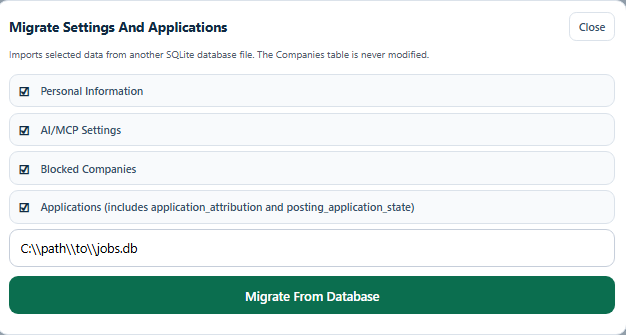
Migration Tool Settings
You can import selected data from another SQlite database file. This is useful for migrating data from another instance or restoring from a backup. You can migrate the following data types:
- Personal Information
- AI/MCP Settings
- Blocked Companies
- Applications
You can also export the current settings snapshot from this section.
Save behavior
When you click Save Sync Settings:
- Auto-sync timing settings are saved locally in app state.
- Queue concurrency is persisted to backend settings endpoint.
- UI confirms the saved mode and restart requirement for runtime concurrency updates.
Recommended settings profile
- Start at
3600seconds interval. - Keep queue concurrency at
1-3unless your network and ATS targets are stable. - Block repeat-noise companies to reduce daily review load.