Uninstall OpenPostings
Uninstall MSI-installed app (Windows)
Use either:
Settings > Apps > Installed apps > OpenPostings > Uninstall, orControl Panel > Programs and Features > OpenPostings > Uninstall
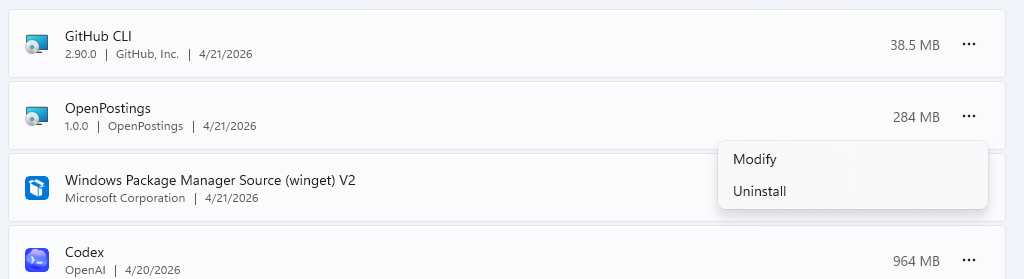
Accept the UAC prompt if needed and follow the MSI uninstall wizard.

What uninstall removes
MSI uninstall removes installed program files, including:
- desktop app binary
- backend service worker payload
- optional MCP service payload
- Start Menu entry and desktop shortcut
What may remain (optional cleanup)
Runtime data is stored per user in local app data. This can remain after uninstall.
Path:
%LOCALAPPDATA%\\OpenPostings\\backend
Contains DB, PID files, and logs.
If you want a full cleanup, remove this folder manually after uninstall.
Remove source-based setup
If you ran OpenPostings from source, stop running processes and remove project files:
- Close OpenPostings and terminal processes (
npm run server,npm run web, etc.). - Delete the local clone directory when you no longer need it.
Post-uninstall verification
- Confirm
OpenPostingsno longer appears in Installed Apps. - Confirm Start Menu shortcut is removed.
- Confirm
%LOCALAPPDATA%\\OpenPostings\\backendis removed if you performed full cleanup.